Planning something new?
We can design and build the AV system around the room, the people using it, and what the organization needs it to do.
Tell us about the project →
HOW WE CAN HELP
Wherever you are starting, you do not need to diagnose the technology before calling us.
We can design and build the AV system around the room, the people using it, and what the organization needs it to do.
Tell us about the project →We can expand, standardize, tune, reprogram, or modernize useful existing equipment without assuming everything needs replacement.
Tell us what you want to improve →We troubleshoot AV systems installed by other integrators. Tell us what is happening; you do not need to know the cause.
Tell us what is happening →AV pathways
Each pathway has different design priorities. They stay connected through one accountable system approach.
Rooms that start predictably, help everyone hear and be heard, and stay consistent across locations.
Hear clearlyCommercial audio designed for intelligibility, even coverage, practical control, and reliable operation.
Operate at scaleAV for auditoriums, sanctuaries, ballrooms, and other spaces where scale changes the design.
Reach remote audiencesProduction workflows that connect room audio, cameras, switching, recording, and streaming.
Communicate visuallyLarge-format displays and content systems designed around viewing distance, service access, and long-term use.
Fix what existsAssessment, troubleshooting, takeover, documentation, phased upgrades, and replacement planning.
Design before equipment
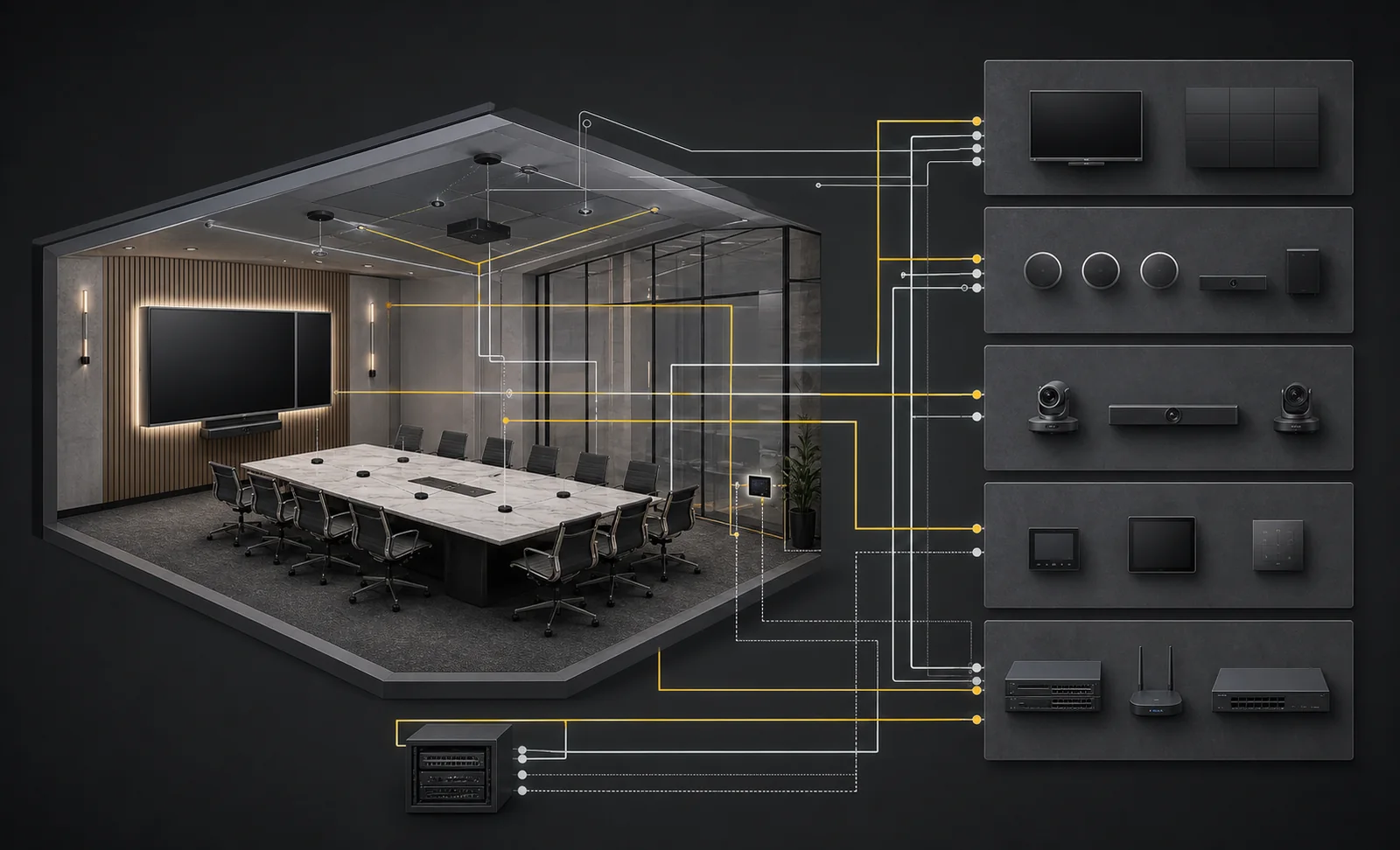
210 evaluates the user workflow, room geometry, acoustics, displays, cameras, microphones, loudspeakers, control, collaboration requirements, network, documentation, and support model as one system.
Modernization and takeover
An older system is not automatically a bad system. The practical question is whether it still supports the requirement, can be maintained, and can be documented well enough to own responsibly.
Explore AV modernization and support →How 210 works
Define the room, users, workflows, risks, network, support expectations, and what success should feel like.
Select and integrate appropriate technology, commission the result, and leave useful documentation behind.
Support the system after installation and help the organization manage changes over time.
REAL AV WORK
See how 210 Solutions modernizes existing rooms, creates consistent experiences across locations, and adapts commercial audio-visual systems to specialized spaces.
MODERNIZATION
210 replaced aging, overly complicated conference-room control with Q-SYS one-touch startup and individual room controls.
View projectMULTI-ROOM STANDARDIZATION
210 modernized Brunner’s Atlanta meeting spaces with room-appropriate Teams systems and digital signage for consistent collaboration across offices.
View projectLARGE TRAINING SPACE
210 delivered dual large-format displays, distributed audio, presenter microphones, room control, and Teams collaboration for Fluidra’s Salt Lake City training space.
View projectTell us what you’re working on or what isn’t working. Whether it’s a new installation, an upgrade, a takeover, or a system that needs troubleshooting, we’ll help you figure out the next step.
We will respond the same business day.