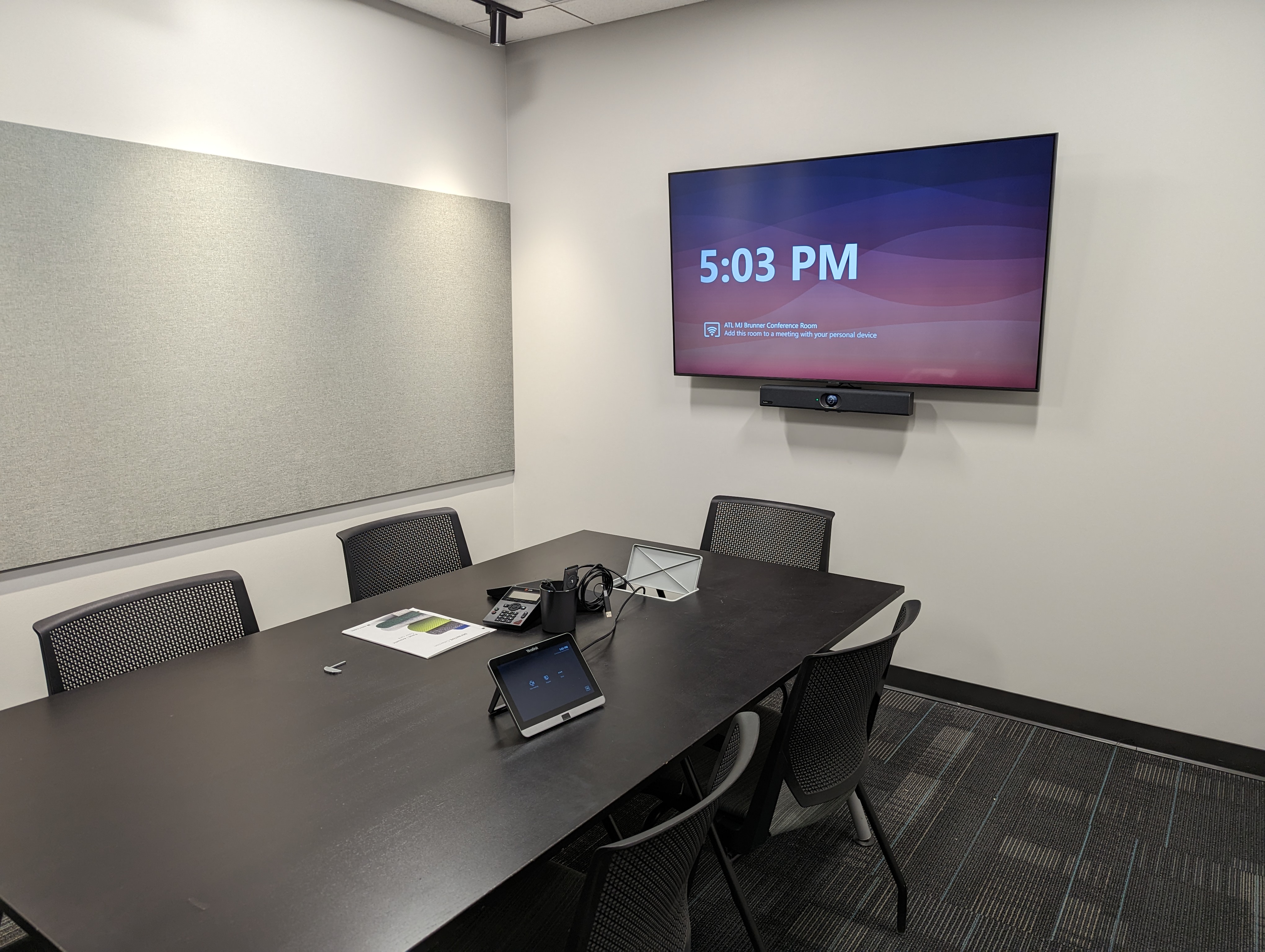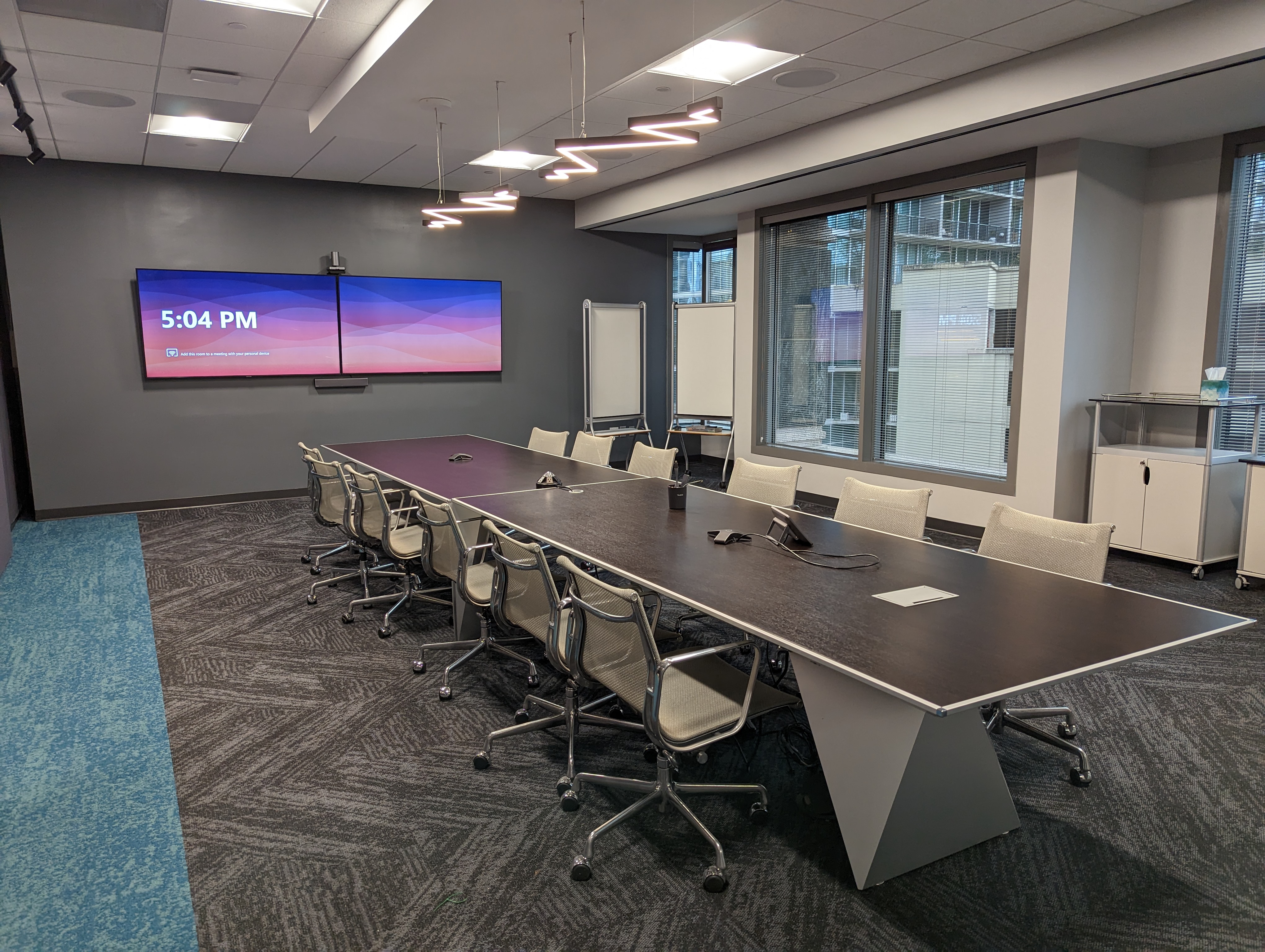
Brunner large conference room with dual displays and an integrated Yealink Microsoft Teams Rooms system

210 Solutions Project

Brunner Microsoft Teams Rooms and Digital Signage Modernization

210 Solutions modernized Brunner’s Atlanta meeting spaces with room-appropriate Yealink Microsoft Teams Rooms systems and Vivitek Novo DS digital signage, creating a more consistent experience for collaboration with the agency’s Pittsburgh office and wider client teams.

Brunner

Atlanta, Georgia

The environment

Start with the environment and the operating reality.

Brunner is an independent marketing agency with offices in Atlanta and Pittsburgh. Its teams collaborate across locations and with clients, making dependable video meetings part of everyday work rather than an occasional convenience.

The Atlanta office included meeting spaces of different sizes as well as a prominent digital-signage installation. Each environment needed technology appropriate to the room while still giving employees a familiar experience from one meeting to the next.

Brunner’s Experience

Hear directly from the Brunner team about the communication challenges they faced and how the new Microsoft Teams Rooms environment improved collaboration between offices and with clients.

The challenge

Brunner’s communication tools had become fragmented and unreliable. Different room setups created uncertainty, and important remote meetings could be slowed by equipment that was difficult to start, inconsistent from space to space, or no longer dependable.

For an agency serving clients and working closely between Atlanta and Pittsburgh, the problem was bigger than a bad conference-room experience. The technology needed to support confident presentations, clear communication, and a professional client experience every time.
The constraints

The project had to fit several room sizes without forcing every space into the same hardware package. A large collaboration room required broader camera coverage and a more flexible architecture, while smaller rooms needed a compact, straightforward solution.

Installation also had to minimize disruption inside an active agency office. 210 Solutions coordinated with other vendors and completed portions of the work after hours so Brunner’s staff could continue operating during the transition.

The approach

Design the system around the people who use it.

210 Solutions standardized the user experience around dedicated Microsoft Teams Rooms while selecting Yealink systems matched to each space. Smaller meeting rooms received the compact MVC400 platform, while the largest room used the MVC960 architecture designed for extra-large and training environments.

This approach gave employees a familiar Teams interface and one-touch meeting workflow across rooms, while allowing the underlying cameras, displays, audio, and processing to scale with the size of the space. The digital-signage system was treated as part of the office communication environment rather than a disconnected display project.

What 210 delivered

From plan to a working, supportable system.

Scope

The completed modernization included:

  • Dedicated Microsoft Teams Rooms for Brunner’s Atlanta meeting spaces
  • Yealink MVC400 systems for smaller conference rooms
  • A Yealink MVC960 system for the large collaboration room
  • Dual displays and multi-camera-ready room architecture in the largest space
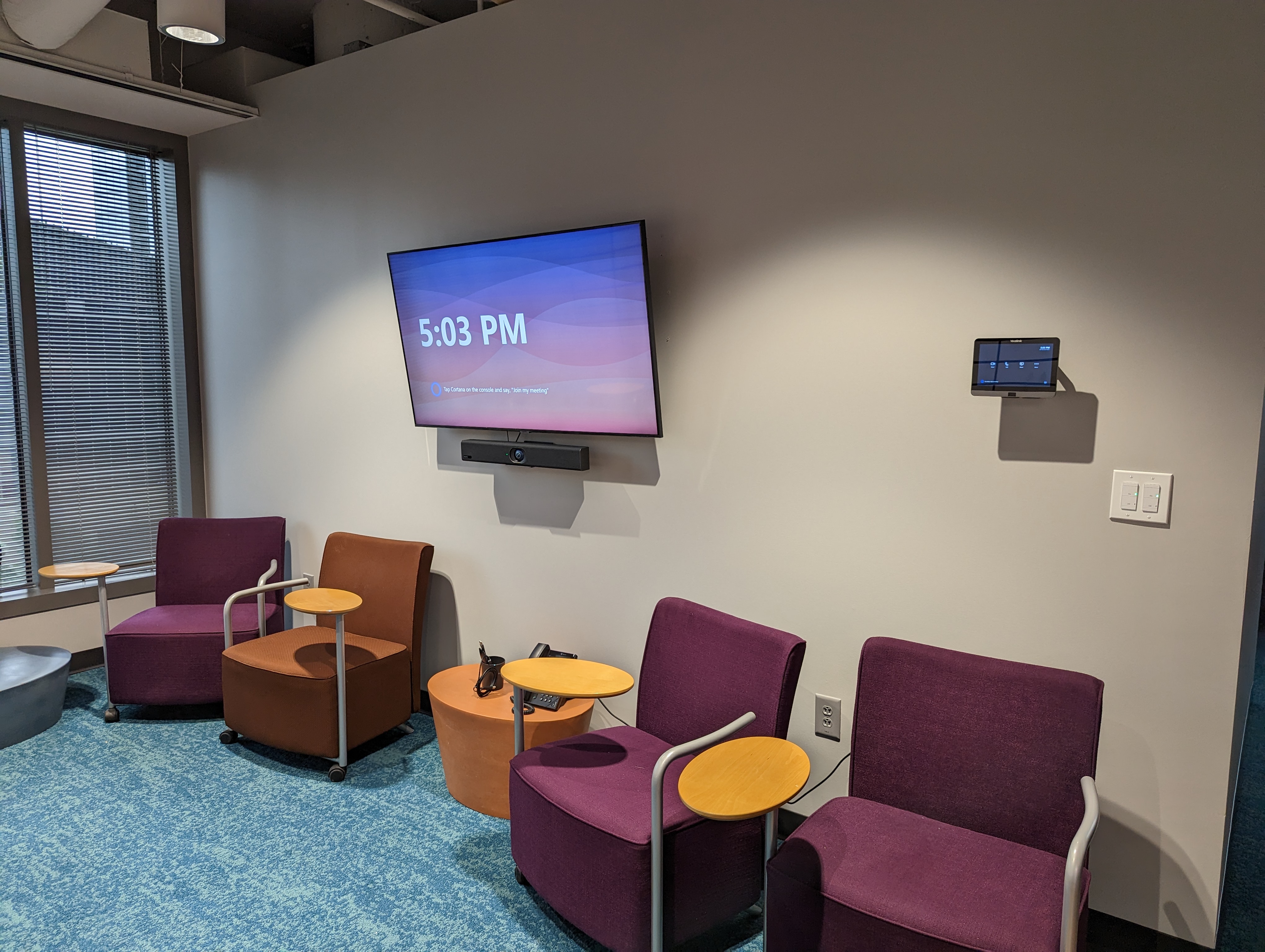
  • Room touch controllers supporting a consistent meeting interface
  • Integrated cameras, microphones, speakers, displays, and room processing
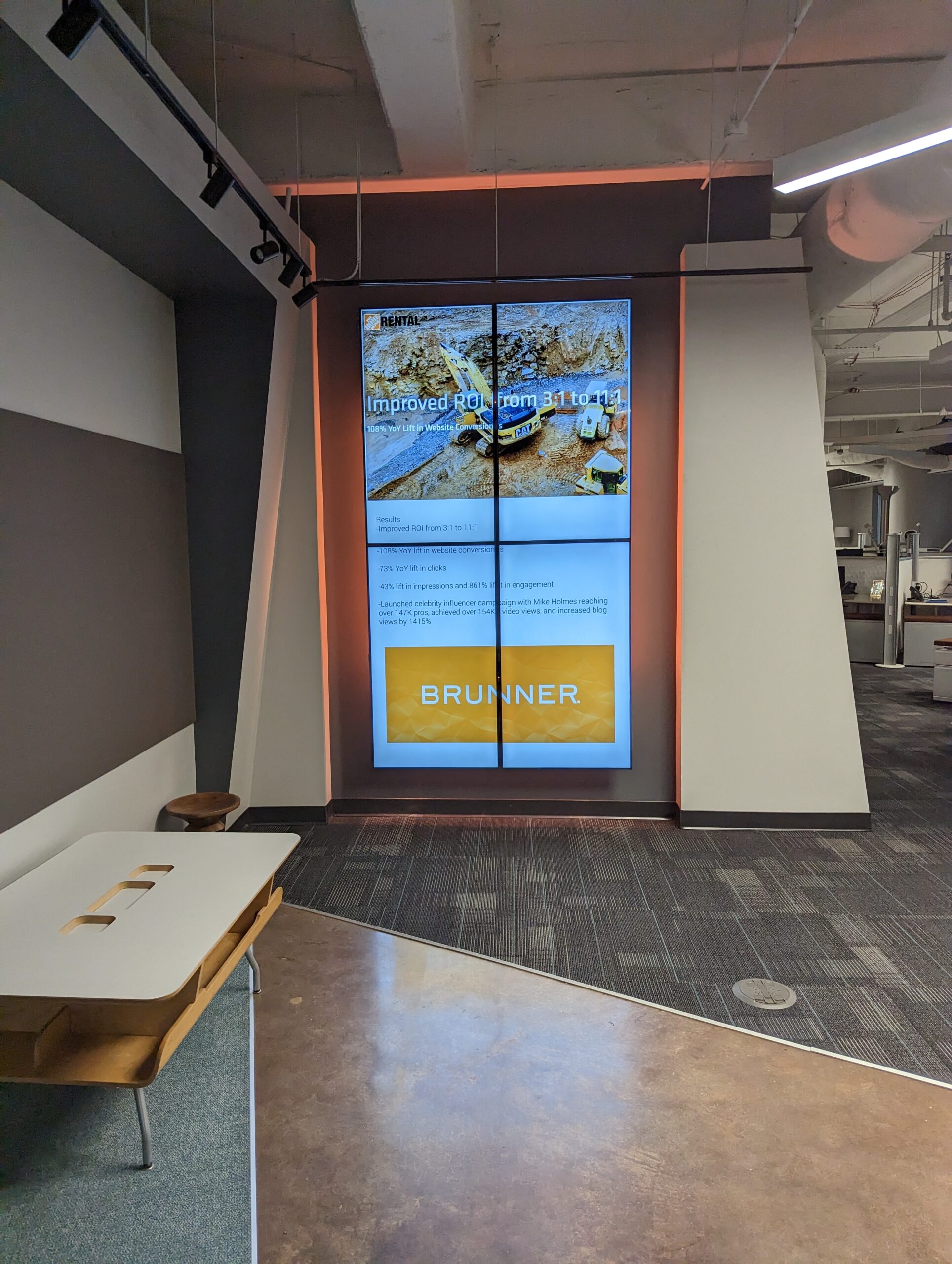
  • Vivitek Novo DS players supporting Brunner’s digital-signage displays
  • System configuration, testing, vendor coordination, and after-hours installation

Execution

210 Solutions installed and configured each room as a dedicated Microsoft Teams Room, then verified camera framing, audio pickup, display behavior, content sharing, and the touch-controller workflow. The systems were commissioned around real meeting use rather than simply confirming that individual devices powered on.

In the large room, the MVC960 platform provided the capacity and camera flexibility required for a wider collaboration environment. Smaller rooms used the more compact MVC400 architecture, keeping the controls familiar while matching the hardware to the space.

The team also deployed Vivitek Novo DS digital-signage players for Brunner’s multi-display presentation wall and coordinated the installation schedule with other trades to reduce interruption to the agency’s workday.

The outcome

Technology that supports the operation.

Brunner’s Atlanta teams gained a more consistent meeting experience across rooms. Employees could enter a space, use the familiar Microsoft Teams Rooms interface, and begin scheduled meetings without rebuilding the setup around a laptop or deciphering a different workflow in every room.

The room systems improved confidence in remote collaboration with the Pittsburgh office and client teams, while the digital-signage installation gave Brunner a flexible way to present branded work and agency content in the office.

Just as important, the project created a supportable standard. The rooms use a common operating model even though the underlying hardware scales to fit different room sizes.

Project Gallery

A closer look at Brunner’s updated conference rooms and digital display wall.

Brunner digital signage display wall showing branded agency content
Vivitek Novo DS digital-signage display wall
Small Brunner meeting room with a display, Yealink video bar, and wall-mounted touch controller
Compact Yealink Microsoft Teams Room
Brunner conference room with Yealink touch console, display, and video bar
Brunner conference room with a unified Teams interface

Key takeaway

Standardization does not mean forcing every room into the same hardware. Brunner gained one familiar Microsoft Teams Rooms experience, with Yealink systems sized for each space and digital signage integrated into the wider office communication plan.

Plan the next project

Tell us what your building needs to do better.

Start with the people, the room, and the problem. We will help define a practical next step.